
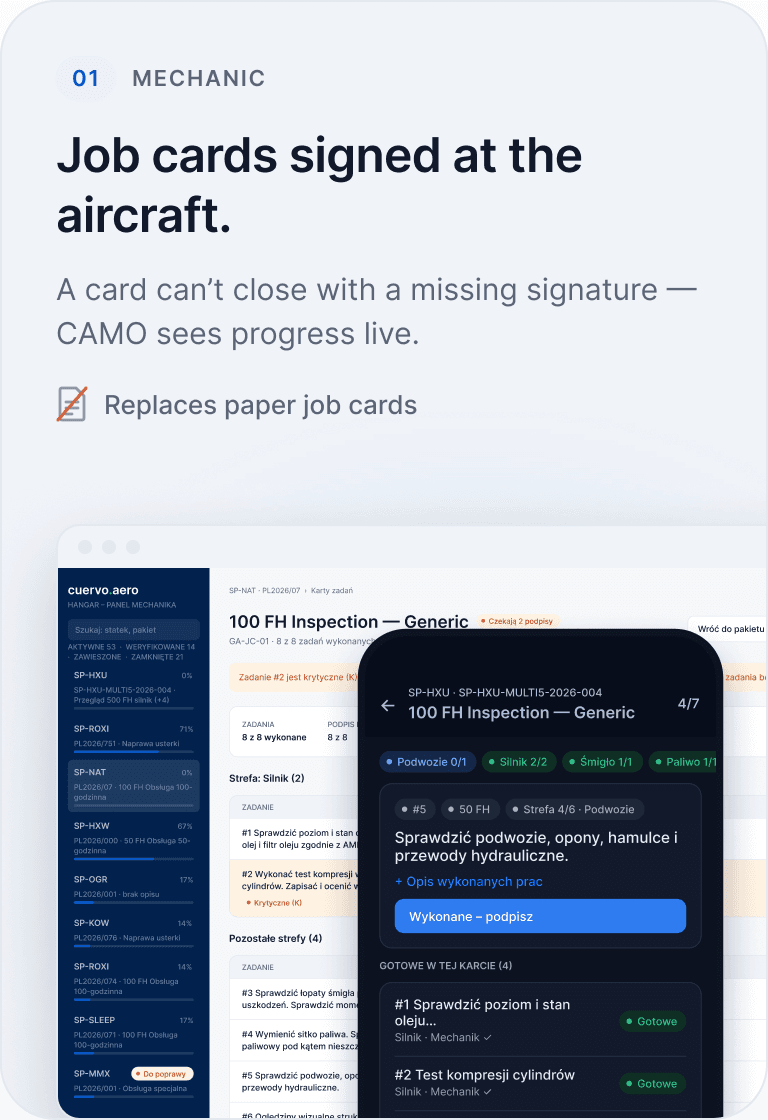
01Mechanic
Job cards signed at the aircraft.
A card can’t close with a missing signature - CAMO sees progress live.
 Replaces paper job cards

Less paperwork. Calm before every audit.
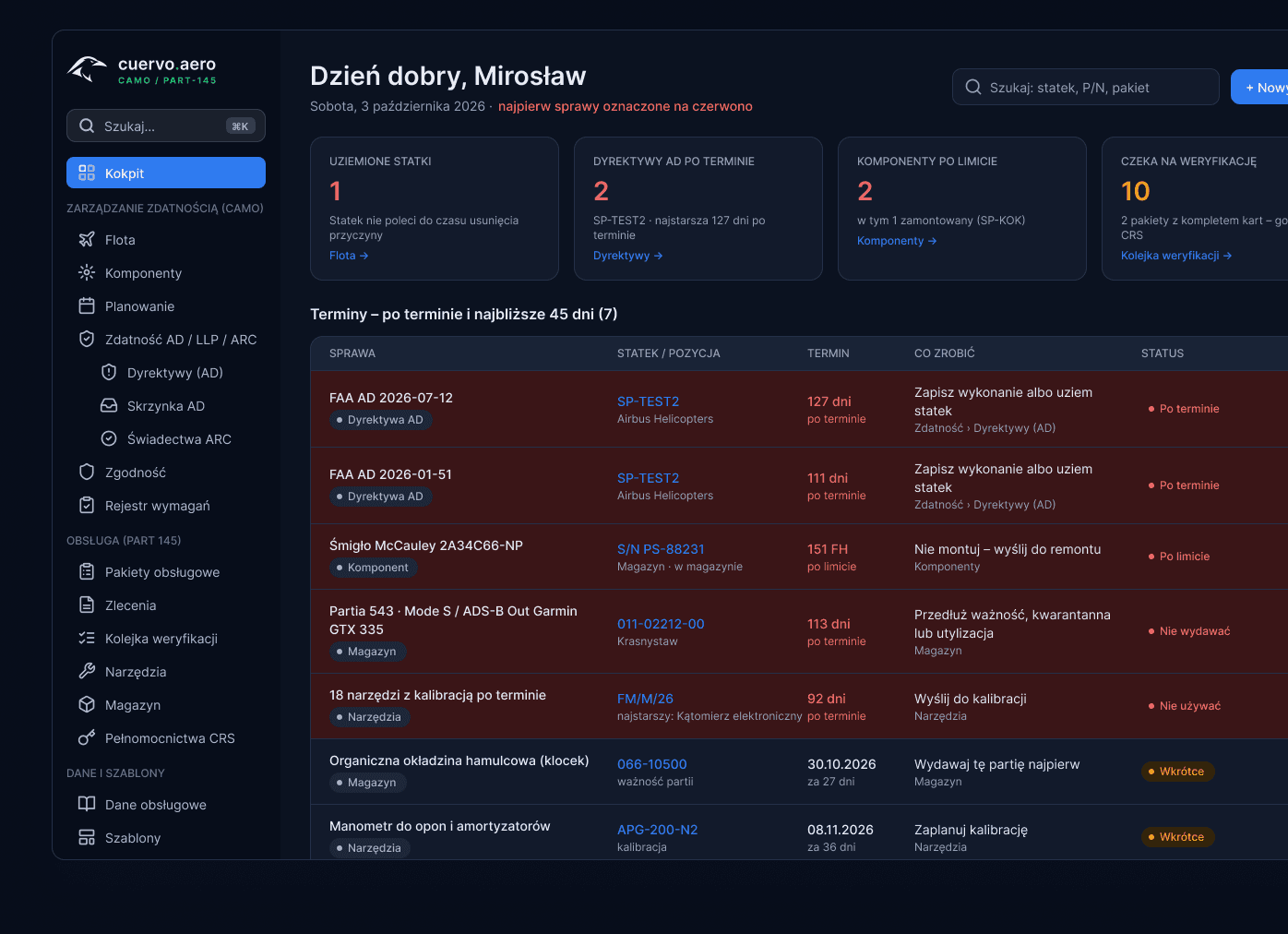
Overdue directives, components over limit and packages to verify - the moment you log in.
See the cockpitDigital work packages, e-signatures and CRS, with the full history of every aircraft and component.
How it worksGO / NO-GO from CAMO data and a loadsheet you can print straight from the app.
See the PDT
“One click and you open the whole fleet. You see everything - you don’t have to worry.”
What changes on day one
Job cards, the tech log and the loadsheet in one system - mechanics, CAMO and pilots on the same data.Job cards, the tech log and the loadsheet move from paper into one system - mechanics, CAMO and pilots work on the same data.
A card can’t close with a missing signature - CAMO sees progress live.
Replaces paper job cards
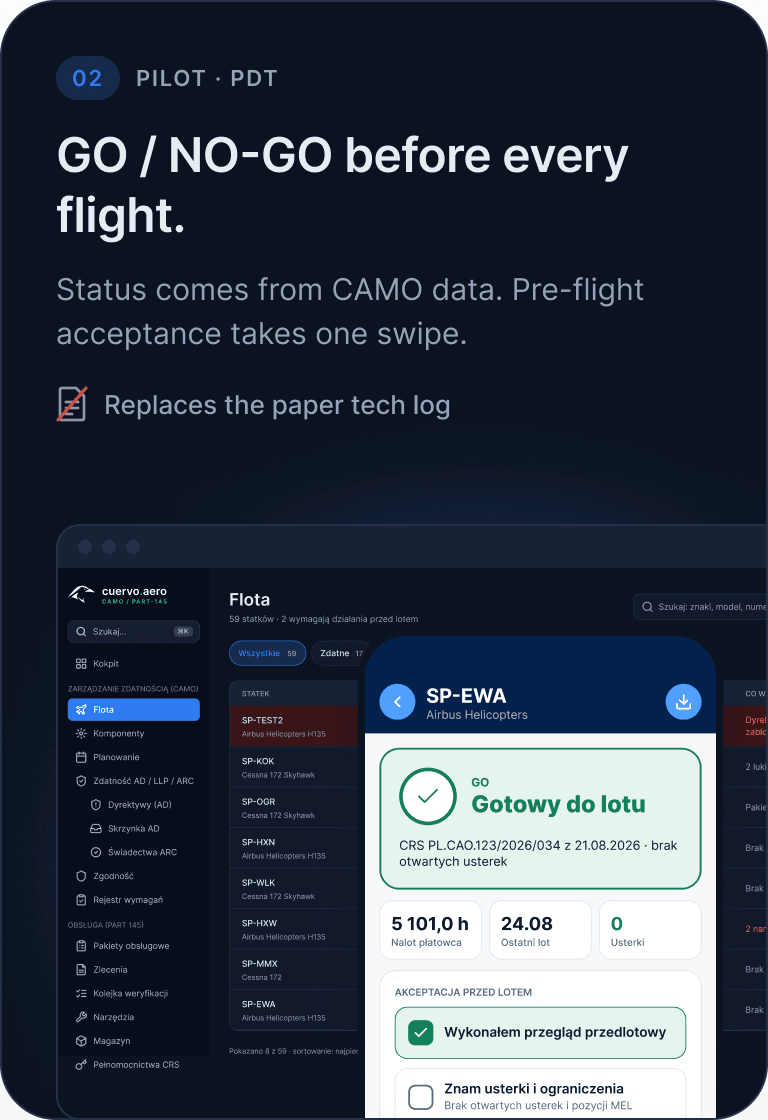
Status comes from CAMO data. Pre-flight acceptance takes one swipe.
Replaces the paper tech log
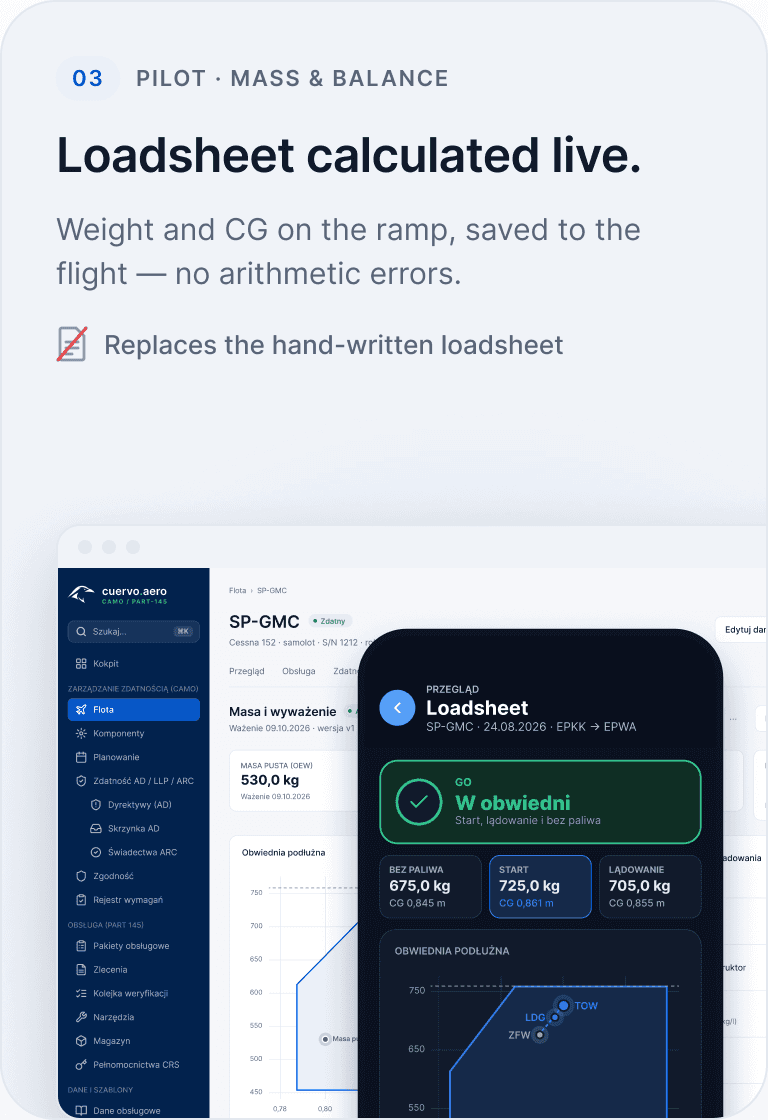
Weight and CG on the ramp, saved to the flight - no arithmetic errors.
Replaces the hand-written loadsheet
Before and after
The planner prints cards and hands them to mechanics
The planner picks a template, creates the package and sees its status
Papers travel to the hangar and must not get lost
The mechanic sees only the tasks needed, on phone or tablet
Signatures are collected and sometimes reconstructed later
Signatures are digital, tied to person, task and UTC time
Gaps appear only when closing documentation
Gaps are visible early, before the package reaches the archive
Before an audit people search folders, scans and email
Documents, history and status are in one place
Voices from the industry
Practitioners with experience in CAMP, Traxxall, AMOS, TRAX and MTRAX tested cuervo.aero. According to them, there is no system this comprehensive on the Polish market.
“Overall the whole idea is very similar - a different layout, of course.”
The working logic of large-MRO systems - scaled and priced for General Aviation.
“I click on the directive and do the analysis. That, let’s say, is great.”
Directives from EASA, FAA and other sources land in one inbox.
“It really makes things easier. With proper weighing and envelopes you can even print it from the app.”
Weight & balance with a printable loadsheet - for aeroplanes.
Product proof
During the demo we walk through a real package: job cards, mobile, signatures, documents, fleet and audit trail.
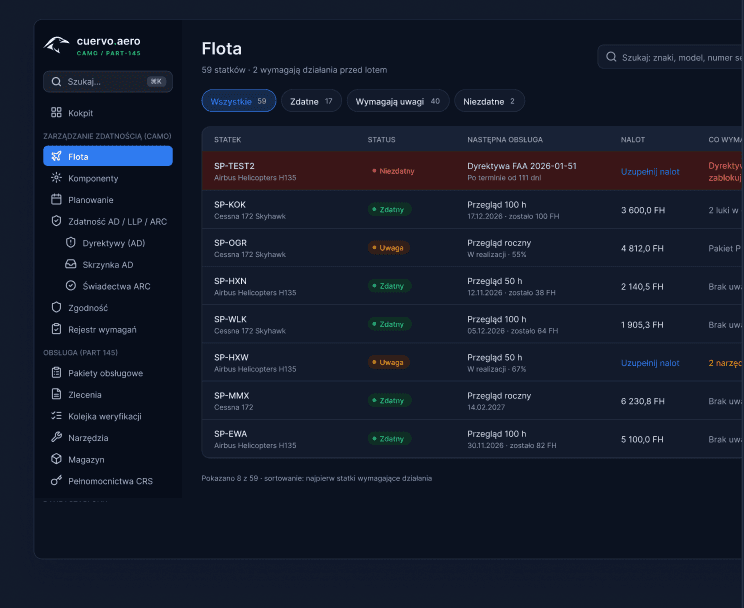
Fleet, packages, due items and compliance on one screen.
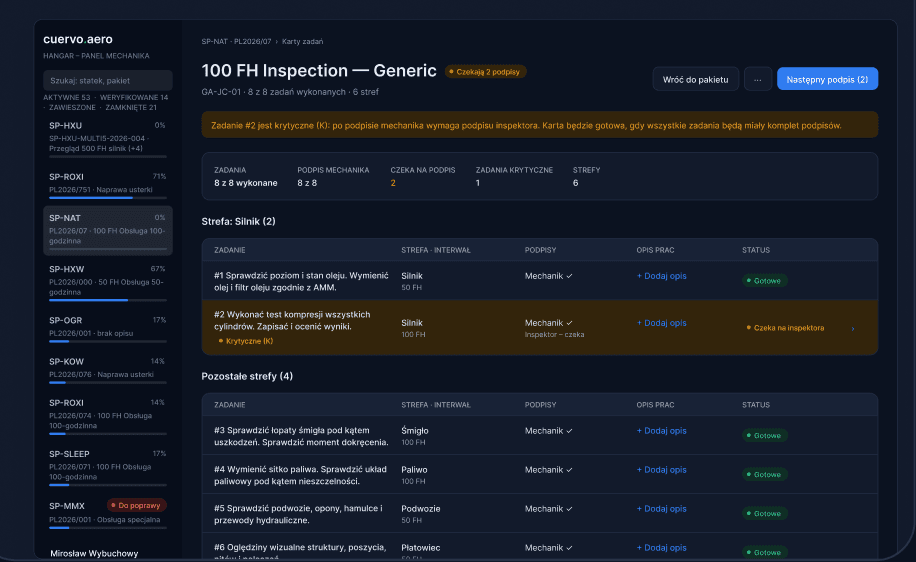
Tasks, statuses and signatures inside the package.
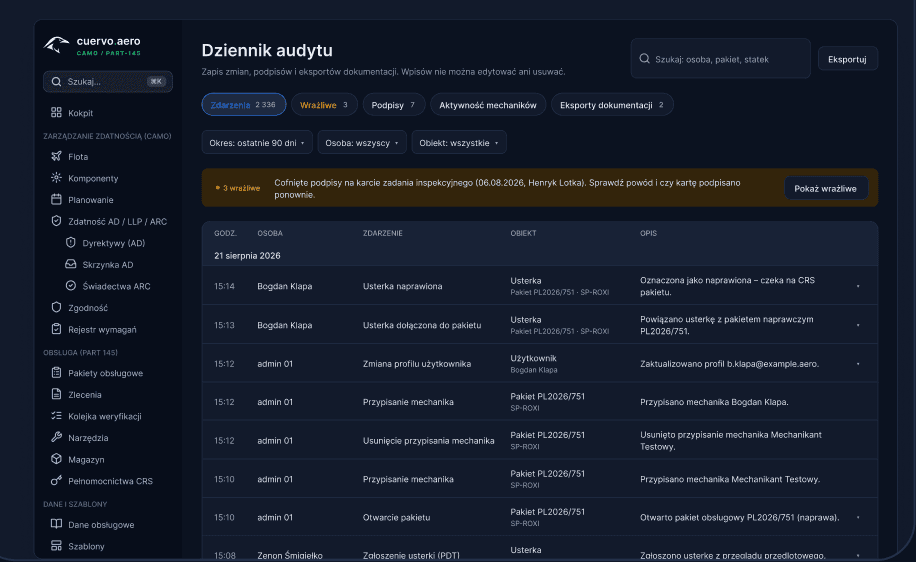
Who changed what, when - with full history.
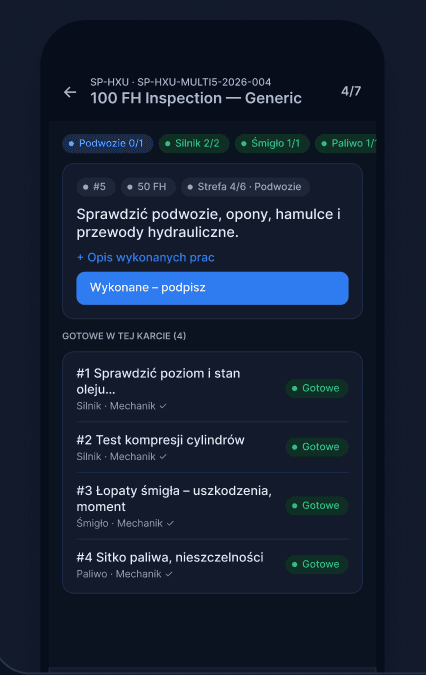
Job card and signature at the aircraft.
Package, CRS and archive after closure.
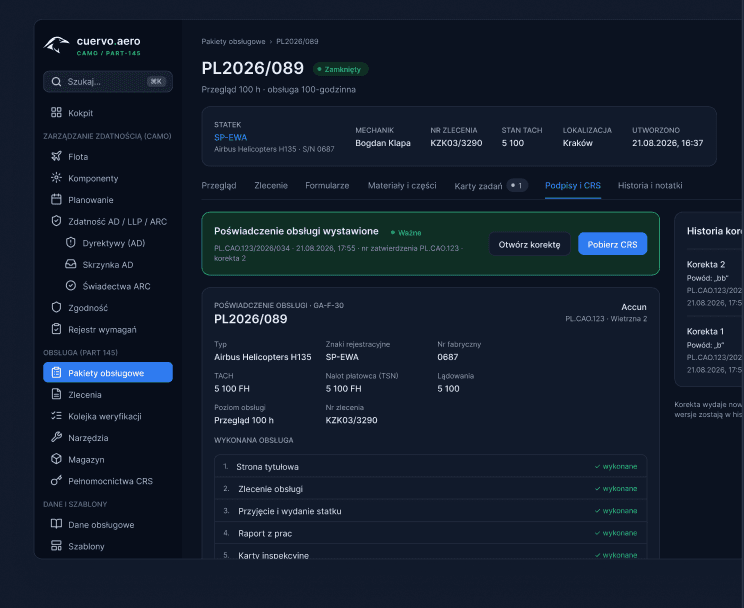
Aircraft, components, documents and status.
Process
01
02
03
04
People in the process
Mechanic, planner, CAMO, certifying staff and owner do not need the same screen.
Compliance and security
Cuervo organises data, signatures, roles and change history - it does not replace your procedures or certifying staff decisions.
Data hosted in European infrastructure, GDPR-aligned.
Regular backups and tested restore procedures.
Replication and environment separation reduce single points of failure.
Roles, least privilege, HTTPS and full operation traceability.
Implementation
01
02
03
04
Before the call
Light and dark theme
Office panel, hangar and PDT come in a light and a dark theme. Same data, same statuses - a screen that is comfortable at the desk, in the hangar and at night.
 LightOffice and daylight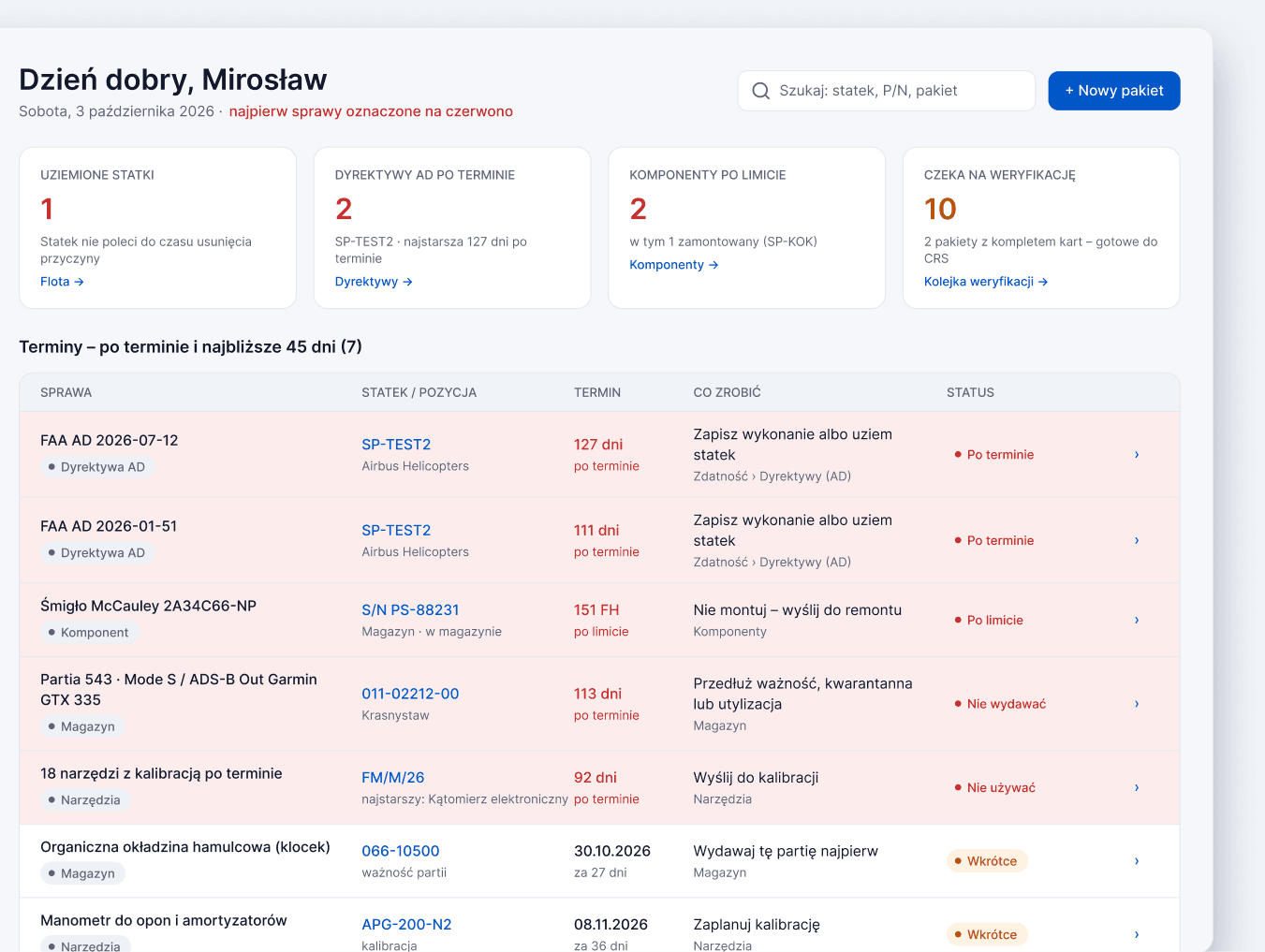
 DarkHangar, evenings and night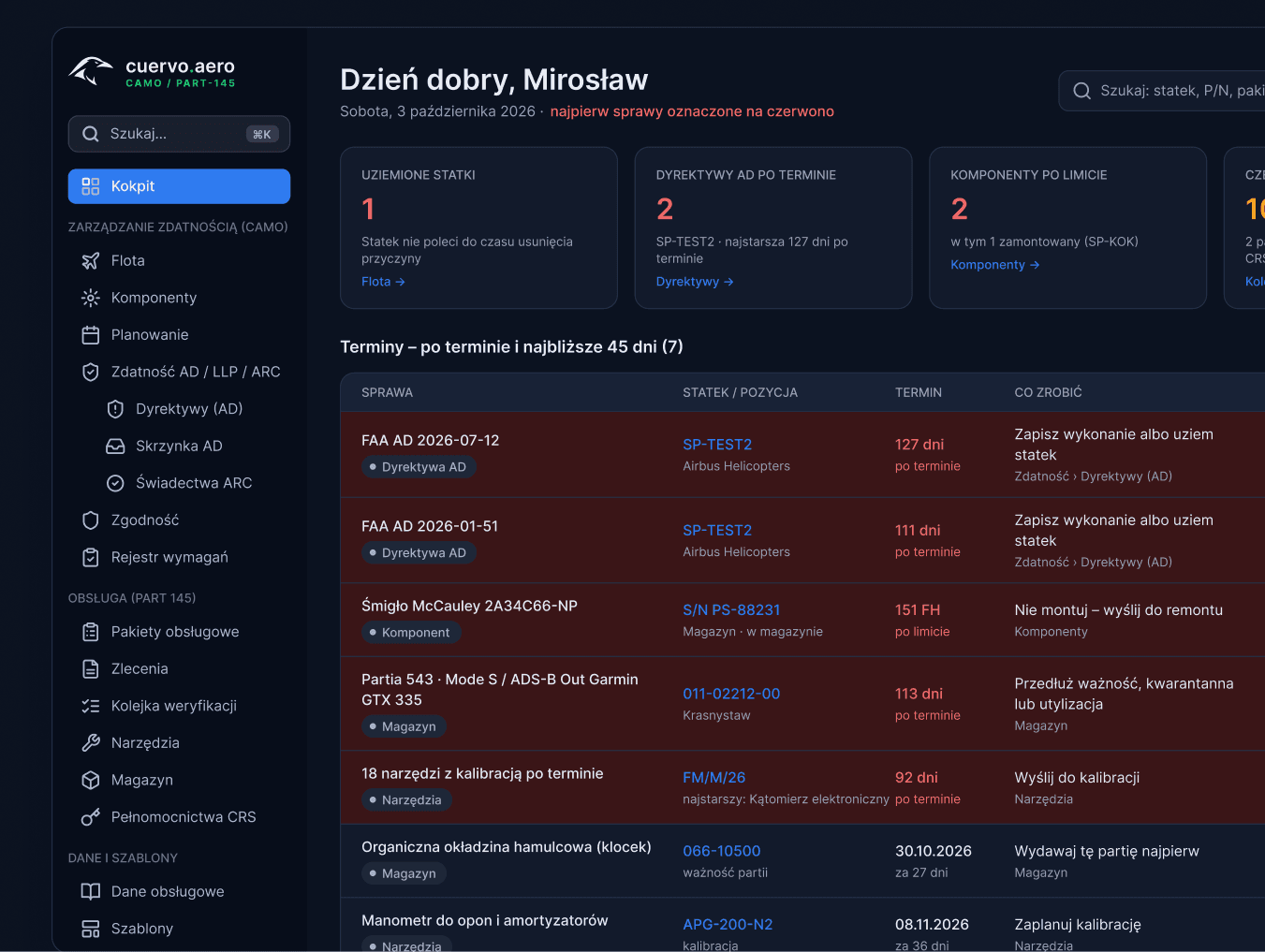

General Aviation / CAMO / MRO
A short conversation is enough to see where document flow takes the most time.