
cuervo.aero / PDT
NEWThe aircraft tells the pilot if it may fly.
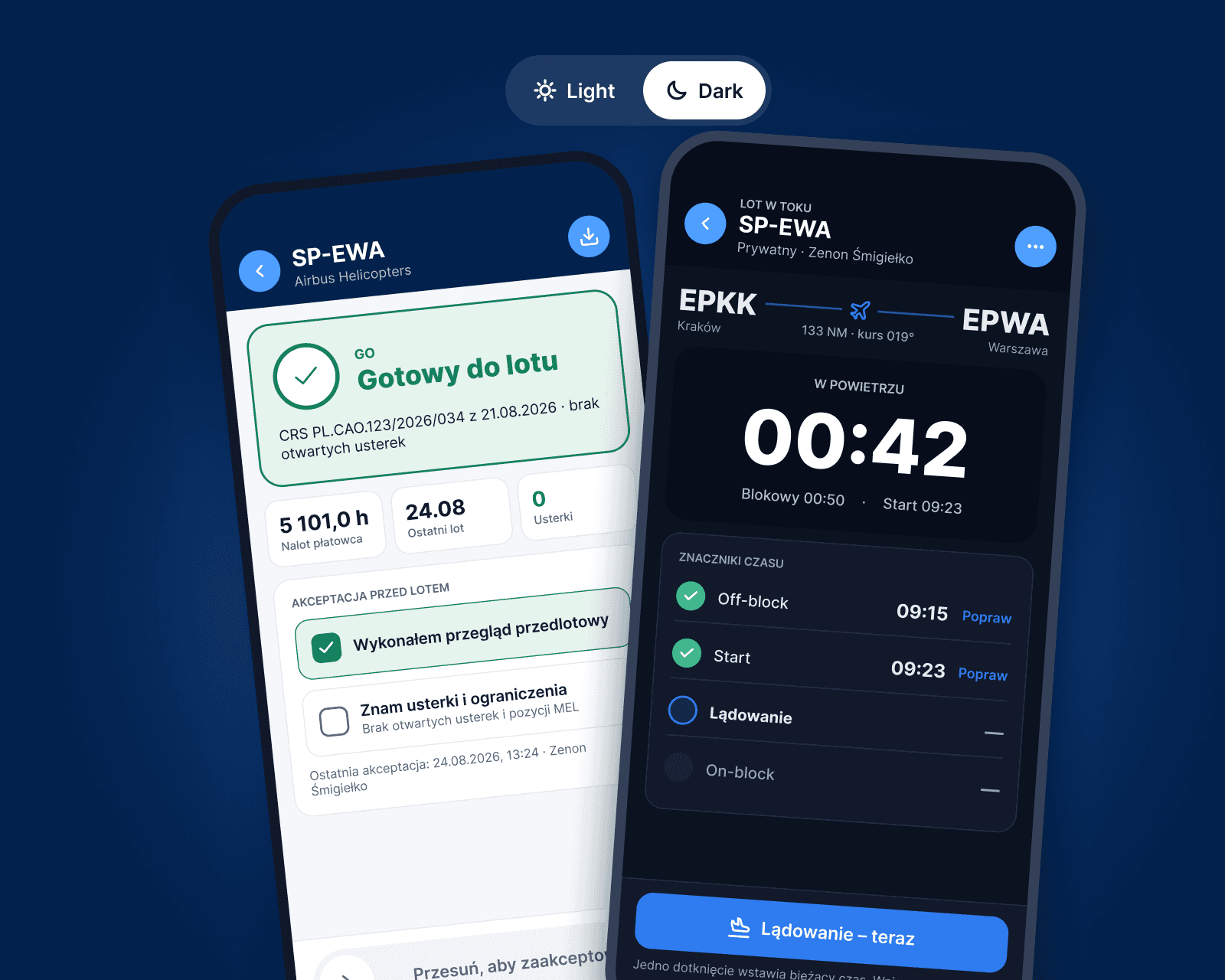
Electronic PDT on the pilot’s phone: GO / NO-GO from live CAMO data, a pre-flight acceptance with one swipe, flight times stamped as they happen and weight & balance on the ramp.
- from airworthiness data
- GO / NO-GO
- pre-flight acceptance
- 1 swipe
- day or night
- Light & dark
One flight in PDT
Four screens instead of a paper tech log.
The pilot sees only what matters for this aircraft and this flight. Everything else stays with CAMO and the hangar.
01
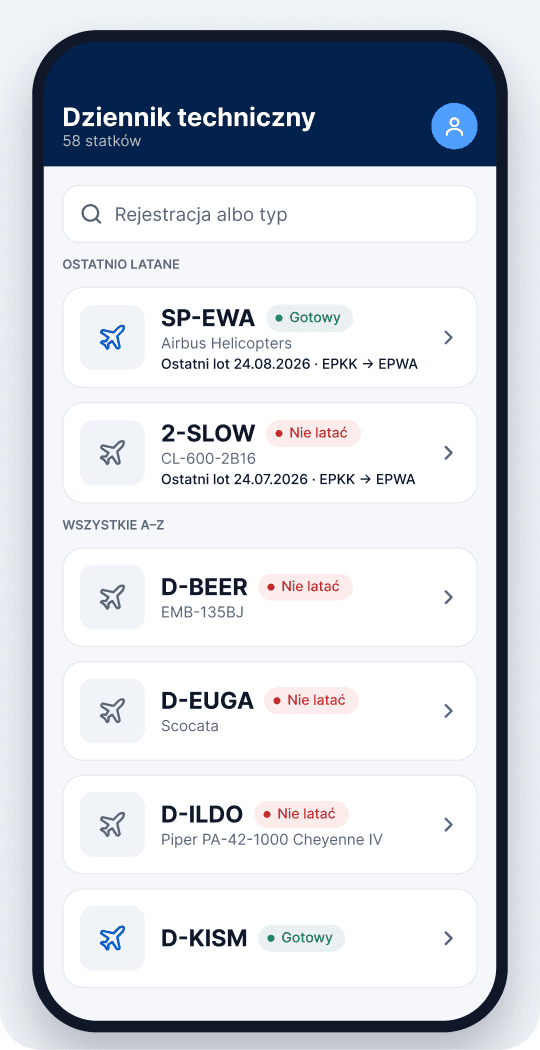
My aircraft
Recently flown first, each with a live GO / NO-GO status.
02
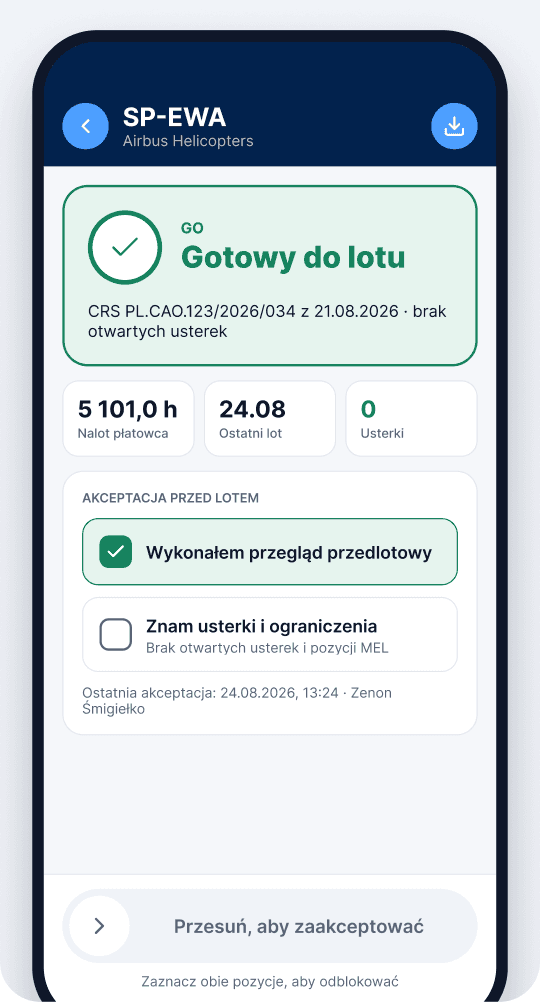
Pre-flight acceptance
Walk-around done, defects and MEL known - swipe to accept.
03
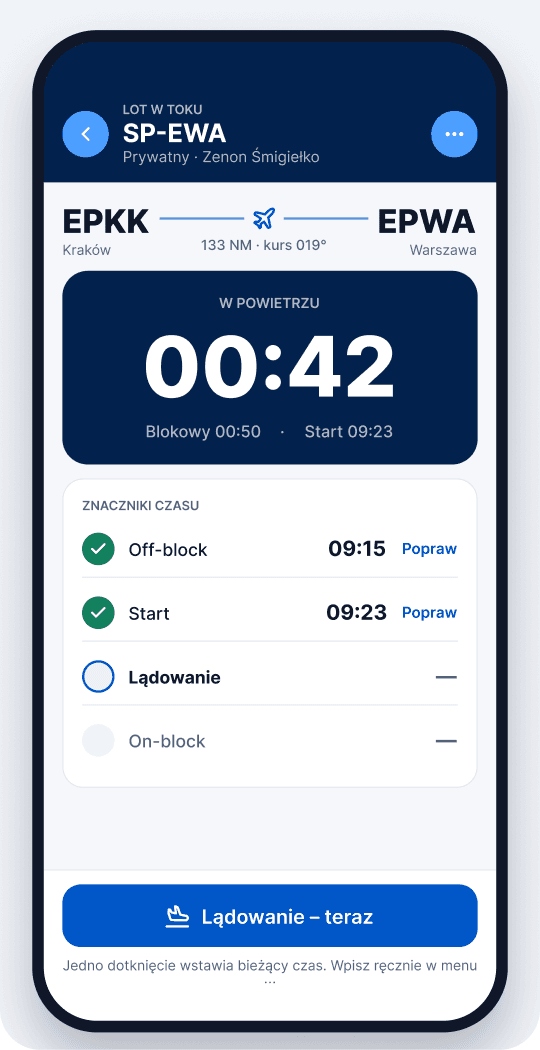
Flight in progress
Off-block, take-off, landing, on-block - one tap each.
04
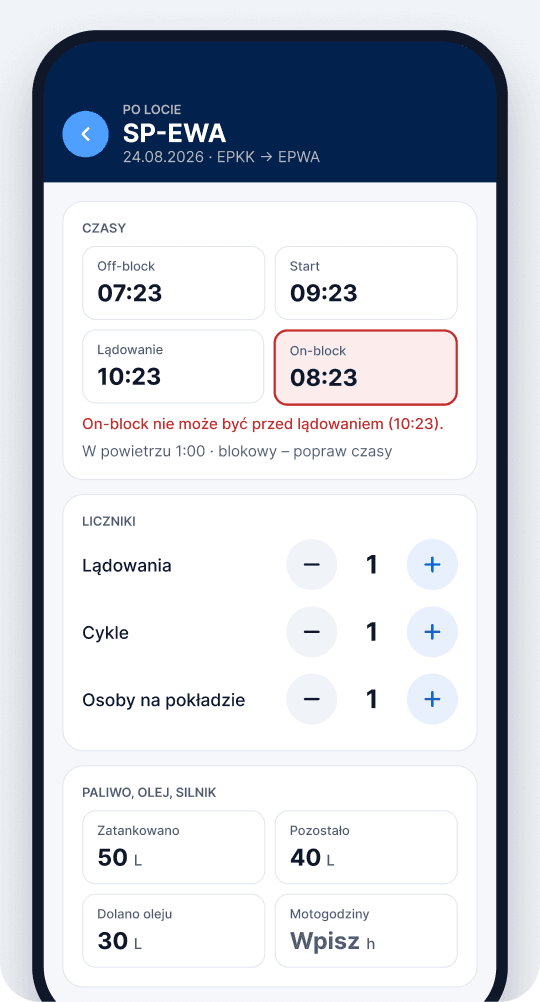
After the flight
Times, fuel, oil and remarks confirmed into the aircraft record.
NO-GO
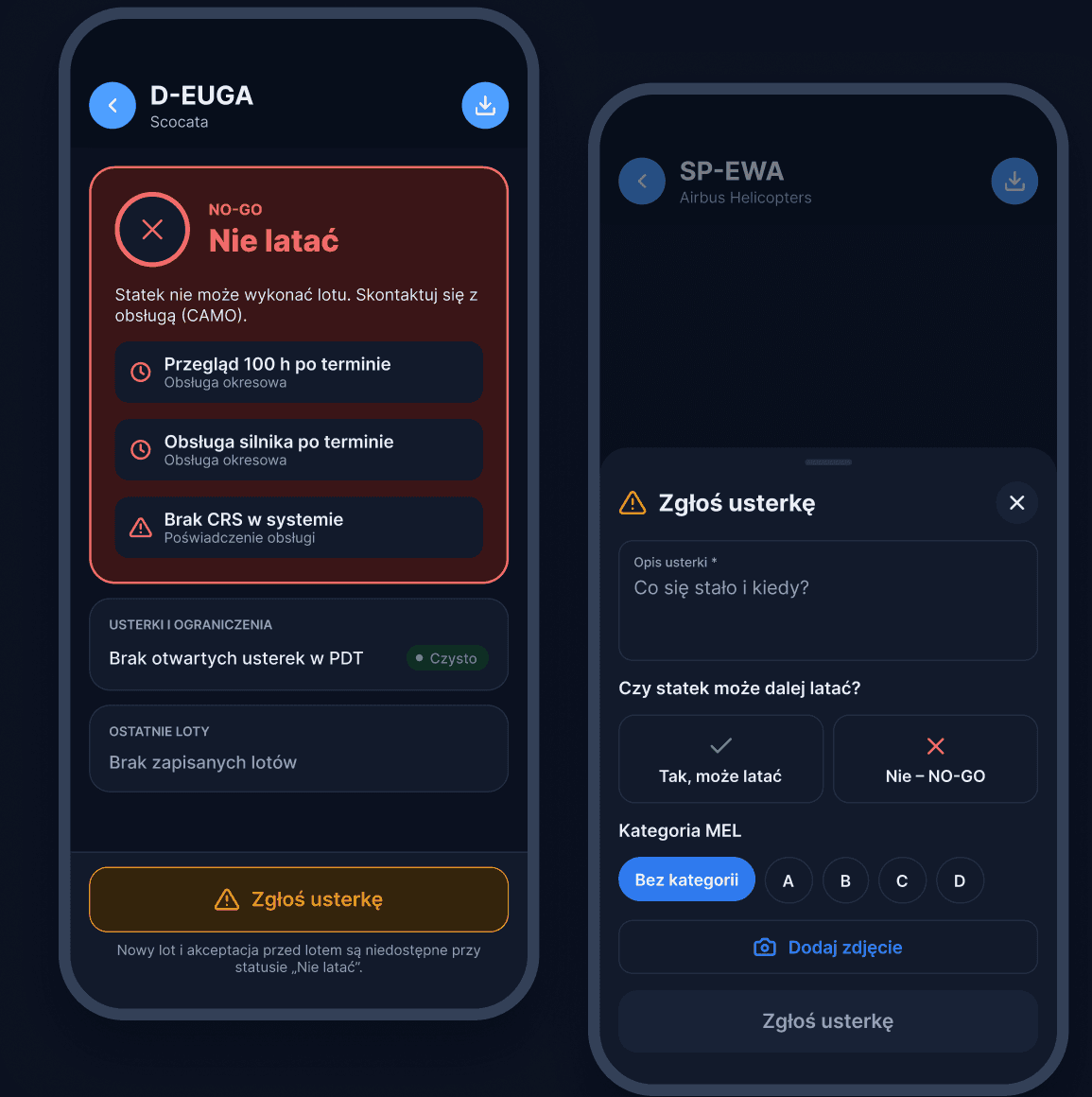
NO-GO is a decision, not a toggle.
If maintenance is overdue or a CRS is missing, the aircraft shows “Do not fly” with the reasons - and a new flight cannot be started. When the pilot reports a defect, they must consciously answer: can it still fly?
- NO-GO100 h inspection overdue
- NO-GONo CRS in the system
- CAMO notifieddefect reported from PDT
Weight & balance
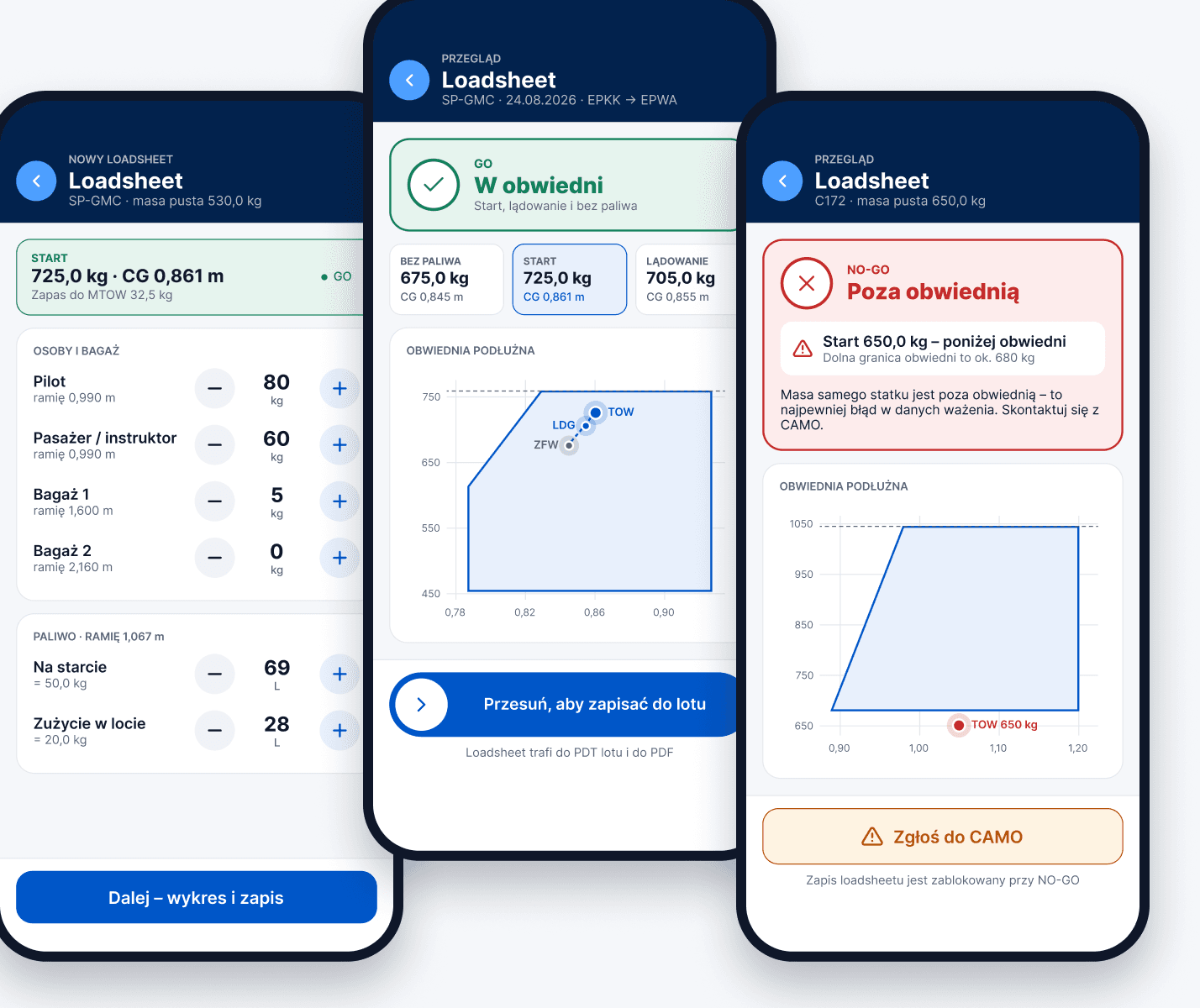
A loadsheet in the pocket, right at the aircraft.
Opened from the aircraft screen, calculated live and saved with the same swipe as the pre-flight acceptance.
 Result pinned at the top while you scroll
- Fuel in litres, converted to kg from the template
- − / + in 1 kg steps, tap the number for a keypad
- Outside the envelope? NO-GO with the reason
Light and dark theme
Same data. A screen that fits the light around you.
Bright sun on the apron or a night flight in the cockpit - PDT follows the phone setting and can be switched in the account sheet.
 LightDaylight, apron and hangar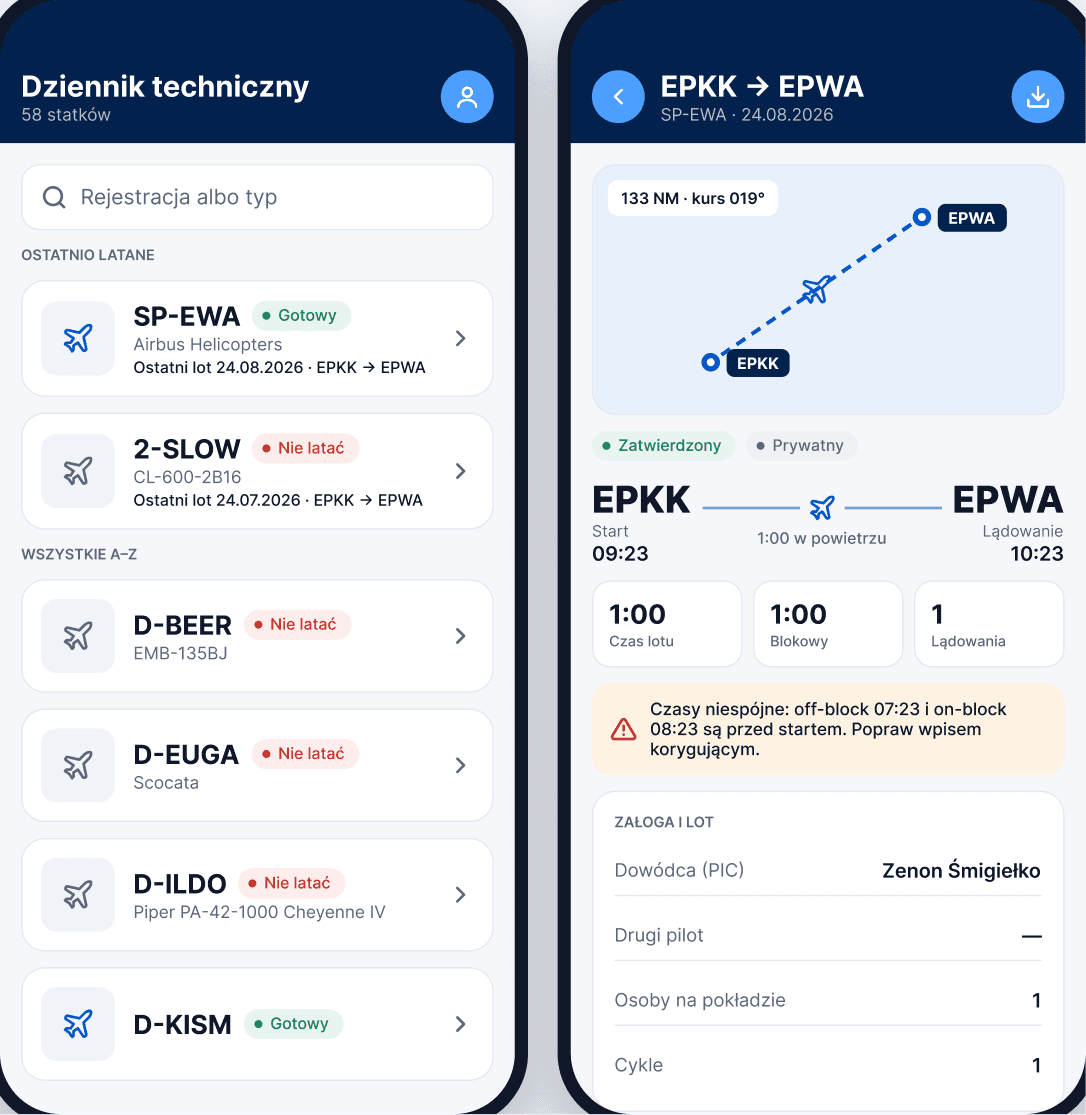
 DarkNight flights and the cockpit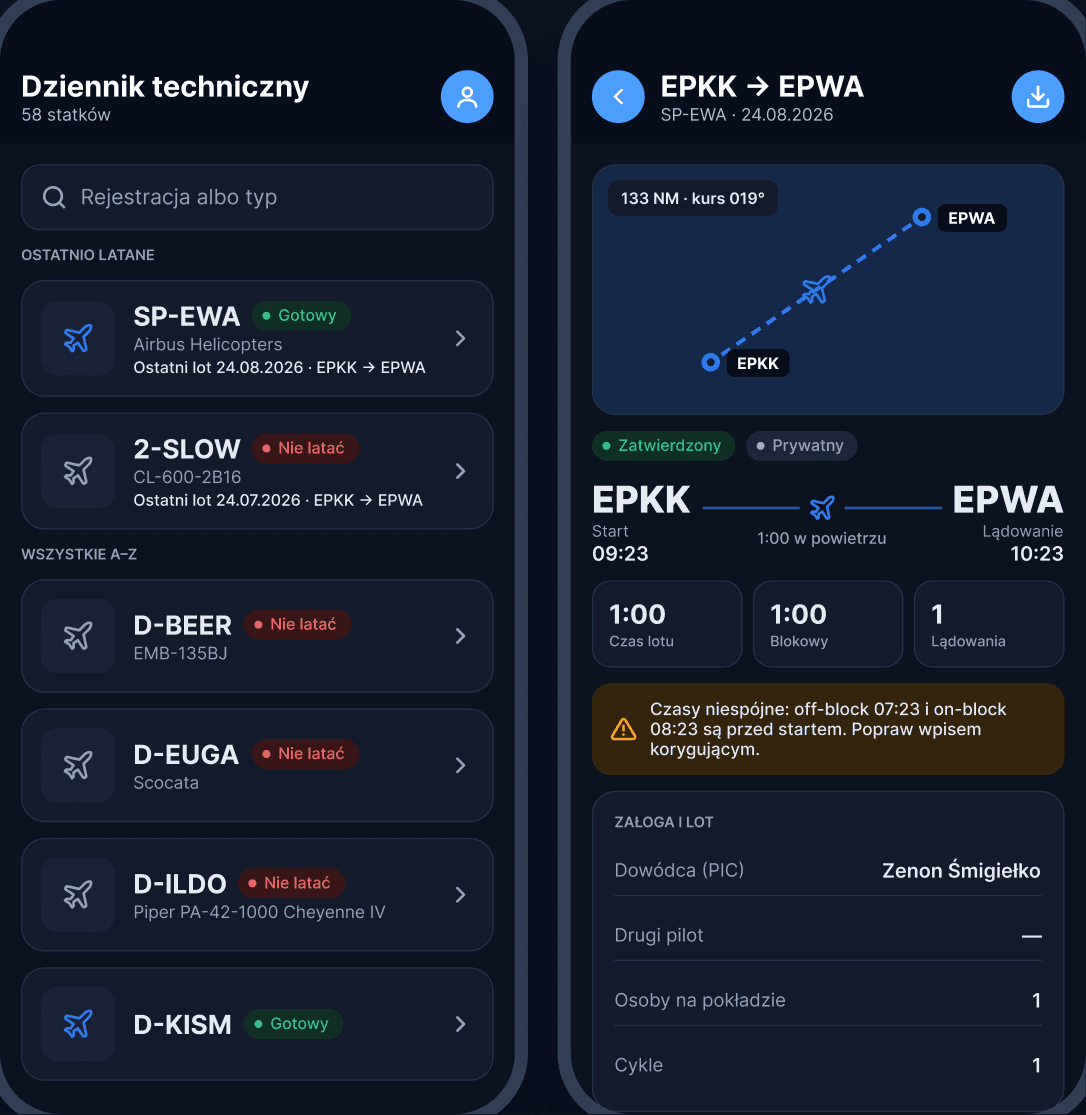
Connected with CAMO and the hangar
PDT is not a separate app. It is the pilot’s window into the same airworthiness data.
Status comes from CAMO
Defects go straight to CAMO
Flight hours update the aircraft
Every acceptance is recorded

Aeroclubs · ATO · GA operators
Give your pilots a PDT that knows the aircraft.
We show the full flight - from GO / NO-GO to after-flight approval - on one of your aircraft.