
cuervo.aero / Process
From maintenance request to CRS in one controlled process.
Work orders, electronic work packages, mobile execution, role-based signatures, CRS release and the technical records archive - connected.
Designed for regulated operations
Built around the people who actually move maintenance forward.
Part-145 maintenance organisations
CAMO and CAO teams
General Aviation operators
Workflow
A maintenance package from planning to release.
The same sequence your team already uses - with traceable digital records instead of paper, folders and messages.
- 01
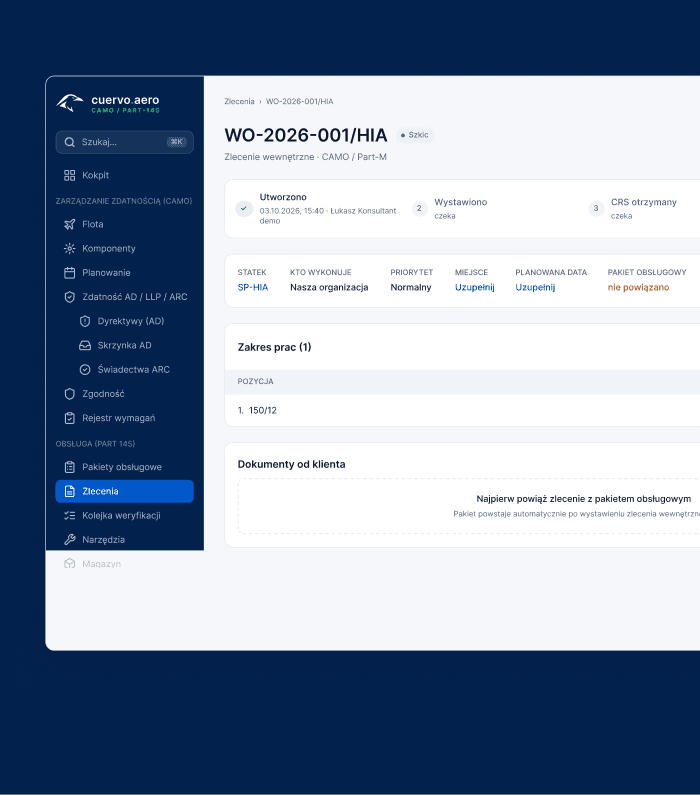
Work order and scope
The office selects the aircraft, defines the scope and links required forms and job cards.
Planned - 02
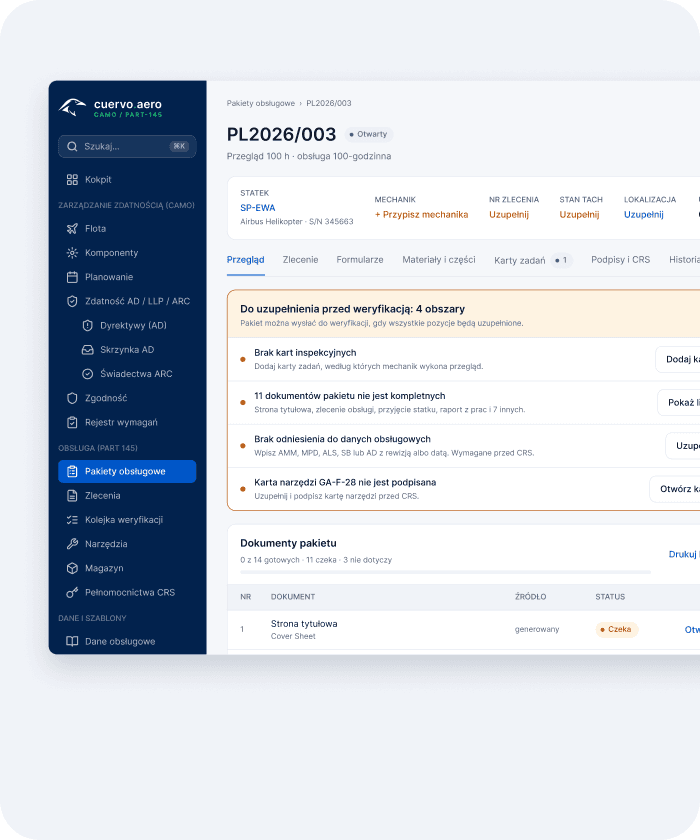
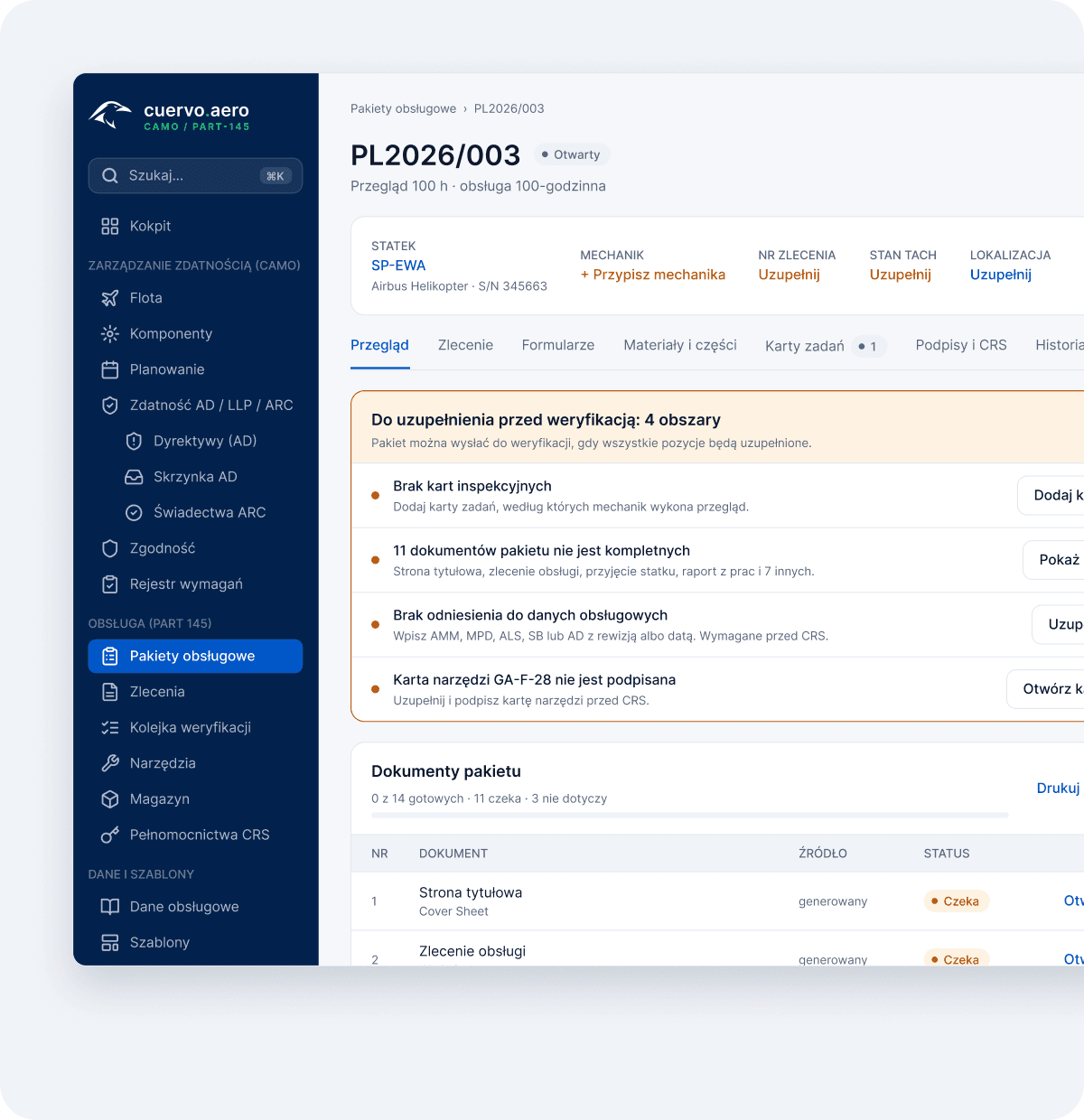
Electronic work package
A controlled package with documents, task cards, references and required signatures.
Open - 03
Work at the aircraft
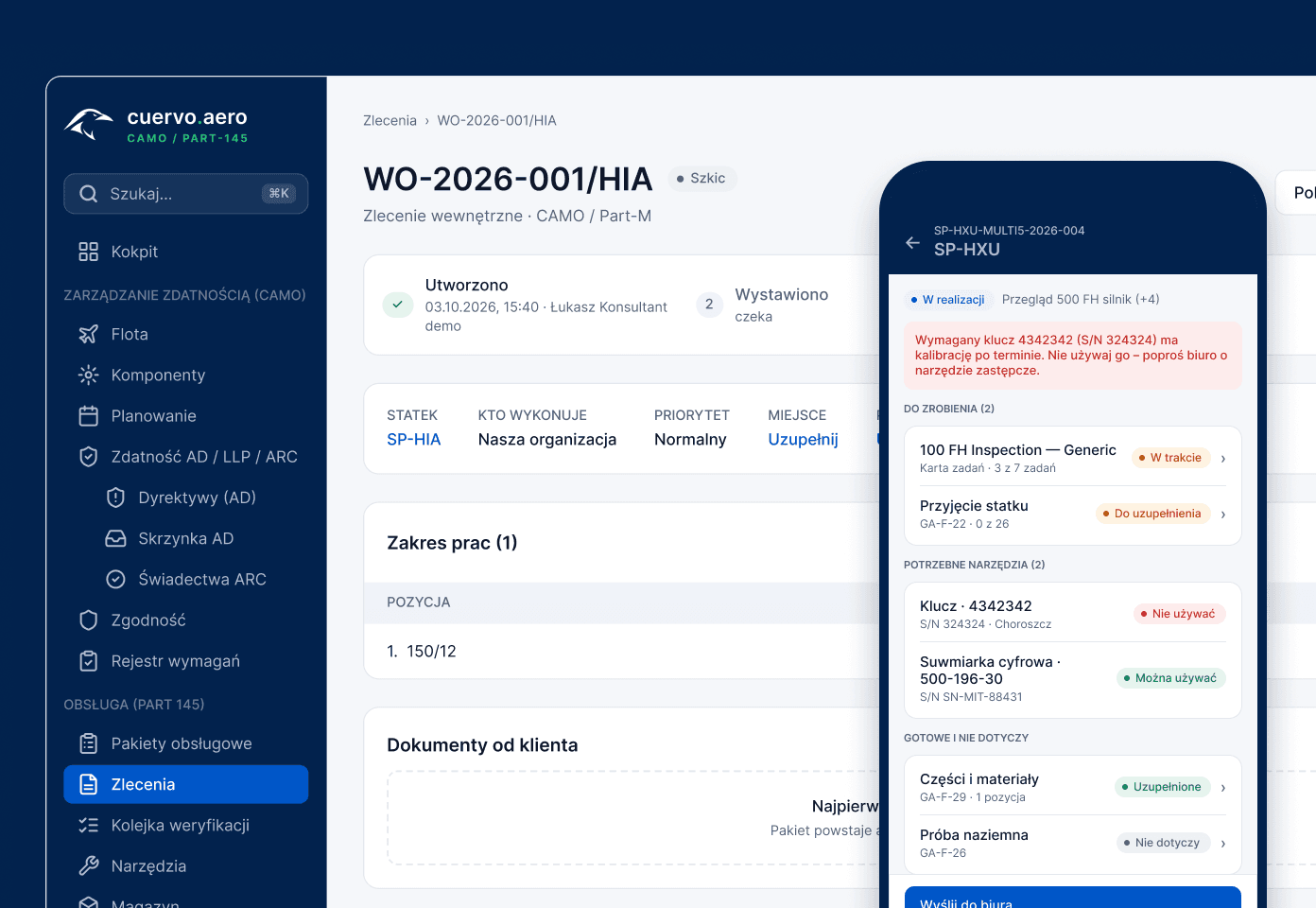
Tasks on phone, tablet or hangar screen, with notes, defects, photos, parts and tools.
In progress - 04
Signature and verification
Required roles, MECH/INSP, B1/B2 categories and certifying staff authorisations are checked.
Awaiting signatures - 05
CRS, PDF and archive
After review, the document set with CRS, attachments and operation history is generated.
Closed
Office and mobile
One work package, two very different work environments.
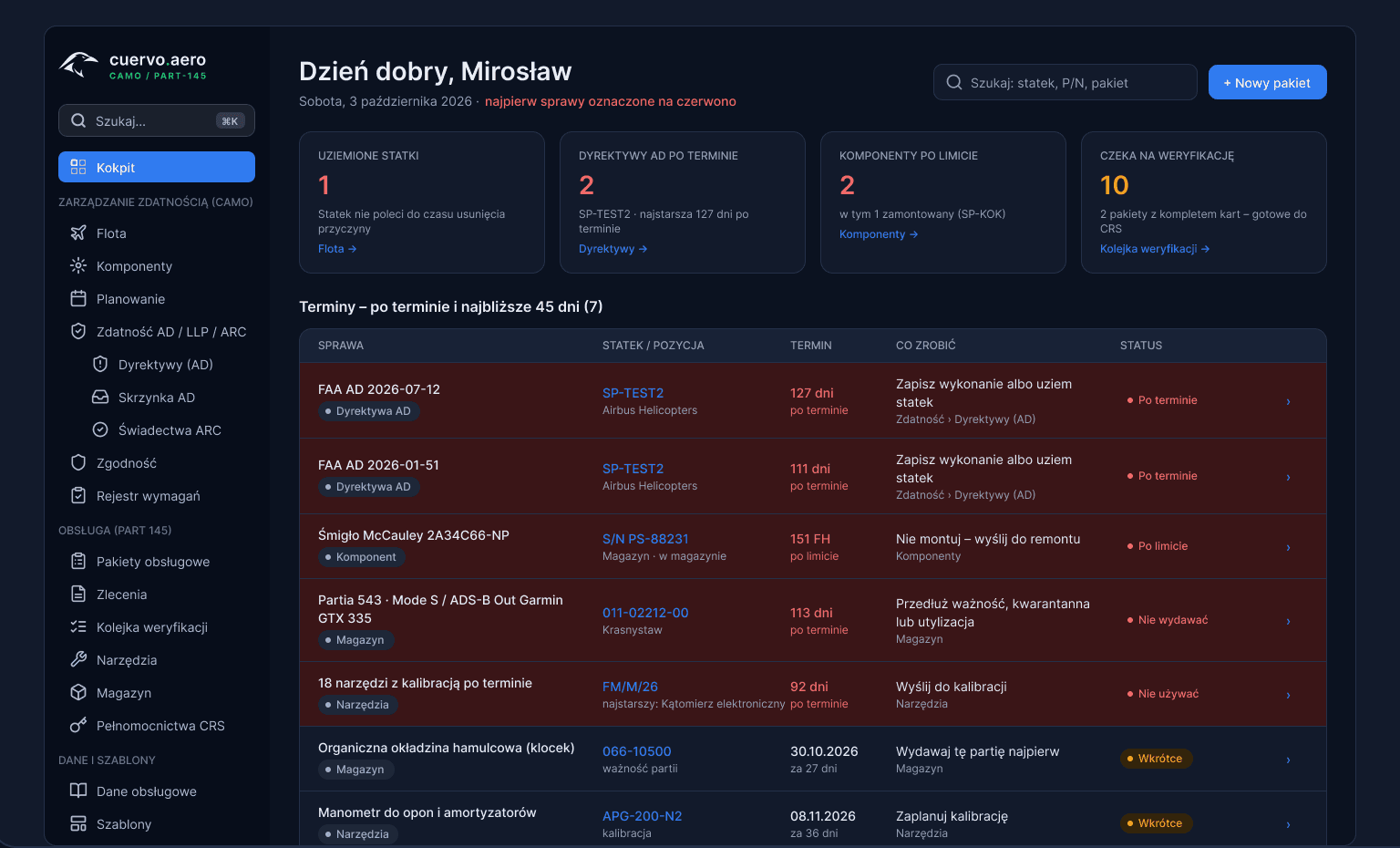
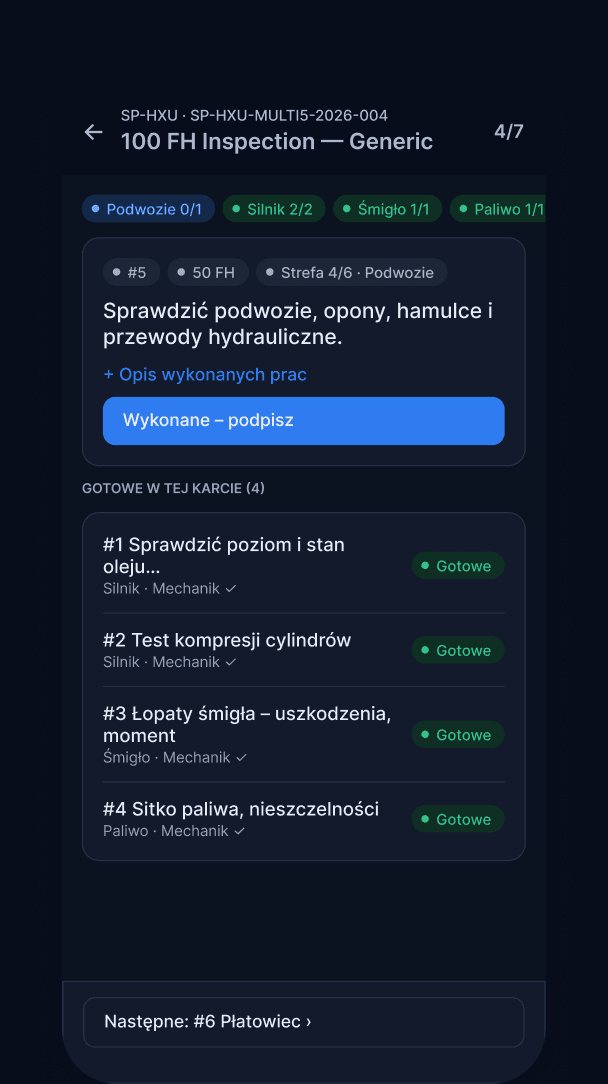
The office needs status, completeness and document control. The mechanic needs a readable task card at the aircraft. Cuervo separates the screens, not the data.
Office panel
Aircraft status, package completeness and document control.
Mobile and hangar
Task cards, findings, photos, tools and signatures at the aircraft.
Compliance controls
The system checks the evidence before the package is closed.
Roles and permissions
Signatures and authorisations
Audit trail
Document completeness
Product scope
The work package is connected to the rest of the maintenance system.
Fleet
Work packages
Mobile and hangar
Airworthiness
Tooling and inventory
Documents
Principles
The system design comes from real maintenance work.
We do not turn your organisation into a generic ERP.
Cuervo focuses on maintenance execution, compliance evidence and technical documentation.
The mechanic needs a simple screen.
Mobile is for completing the task at the aircraft. Planning and administration stay in the office panel.
Quality needs evidence.
Signature, timestamp, correction history and authorisation scope must be easy to check.
End of process
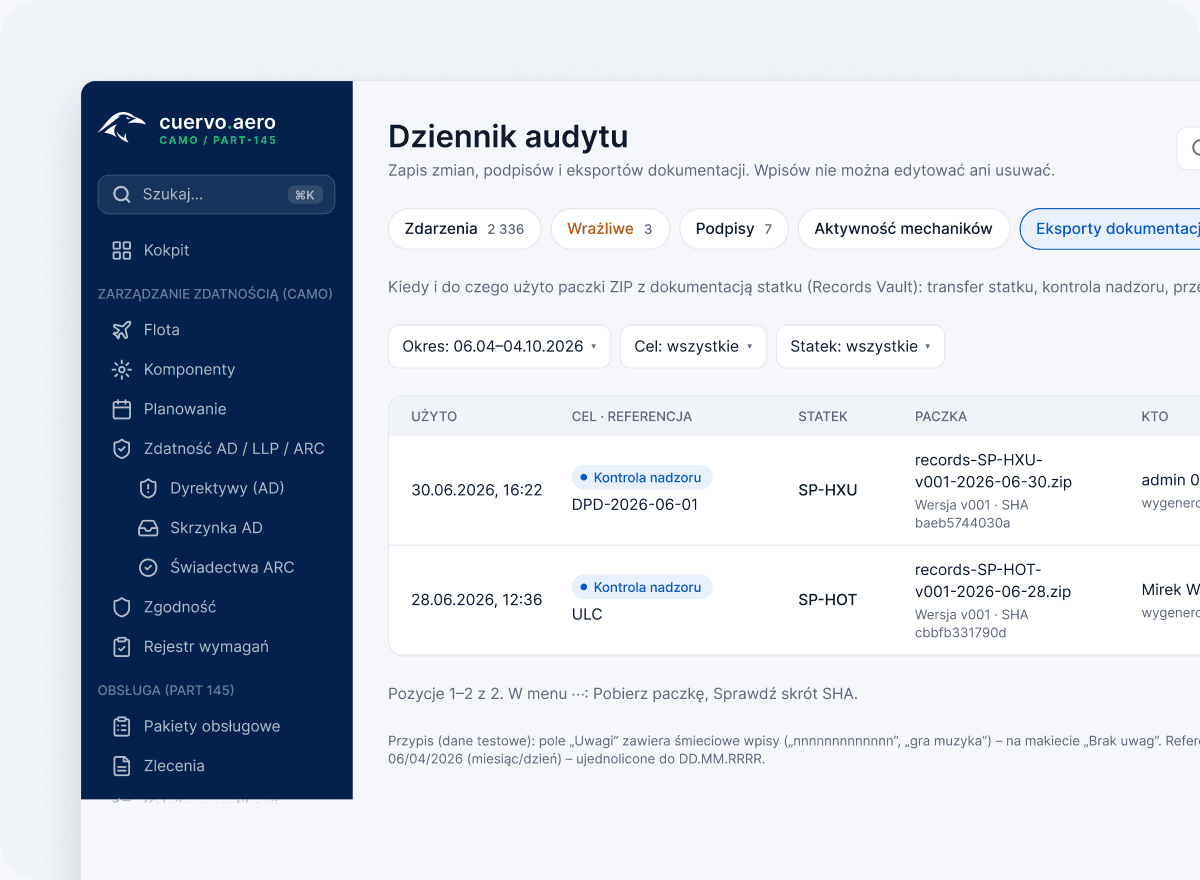
The package does not end in a binder.
After closing, documents, CRS data, attachments, signatures and operation history sit in the system archive - ready for internal review or inspection.
Archived · PDF ready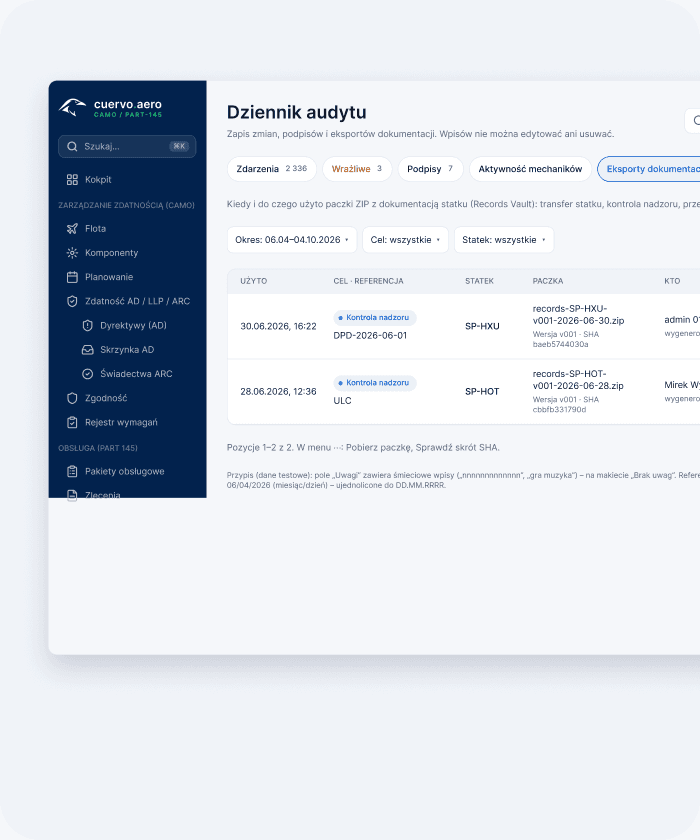
FAQ
Common questions about digital maintenance packages.
- Does Cuervo replace paper maintenance packages?
- It moves the package, task cards, signatures, attachments and generated PDFs into a controlled digital process.
- Can mechanics work on mobile devices?
- Yes. Mobile and hangar screens focus on execution at the aircraft: job cards, notes, photos, findings and signatures.
- Does the system support CRS workflows?
- Yes - CRS data is part of package closing, including certifying staff context, document generation and archived evidence.
- Is a user limited to one organisation?
- No. A user can belong to several organisations and choose the active one after login.

General Aviation / CAMO / MRO
Let us map your current documentation workflow.
We show which stages can move into Cuervo without rebuilding the organisation or forcing mechanics into an office ERP.